
Quick Start
Get started with Mizzen Insight in 5 minutes and launch your first AI-powered user interview.
What is Mizzen Insight?
Mizzen Insight streamlines user research through intelligent interview guide generation, automated participant recruitment, AI-driven conversations, and deep insights analysis—transforming weeks of work into hours.
Platform Overview
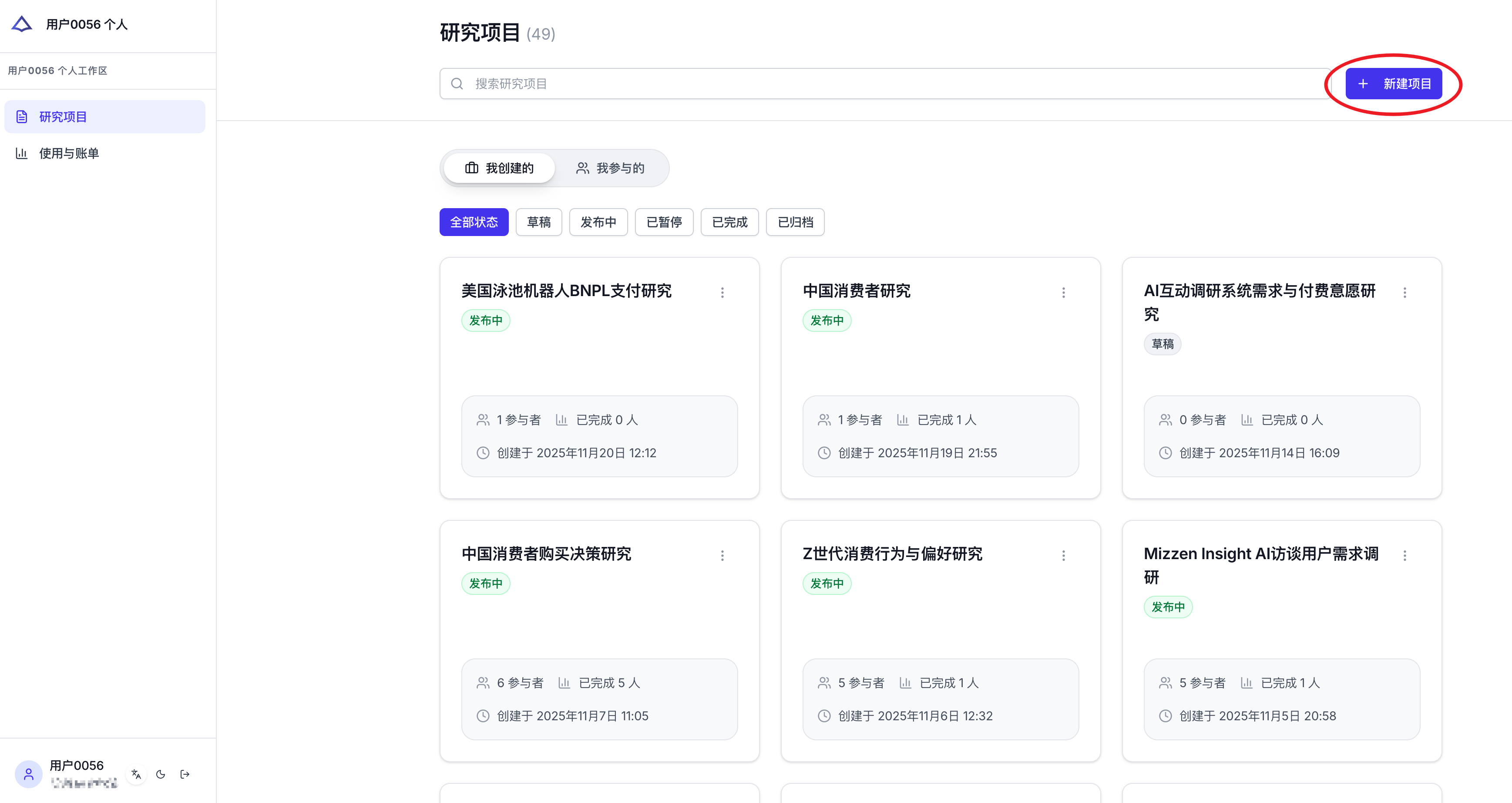
Creation Center
The Creation Center is your hub for managing all interview projects. Here you can:
- View all project statuses (Draft / Active / Paused / Archived)
- Search across projects
- Track participant counts and completion rates
- Create new interviews
Participant Experience Preview
During project creation, you can preview the experience from a participant's perspective to ensure a smooth, professional interview flow.
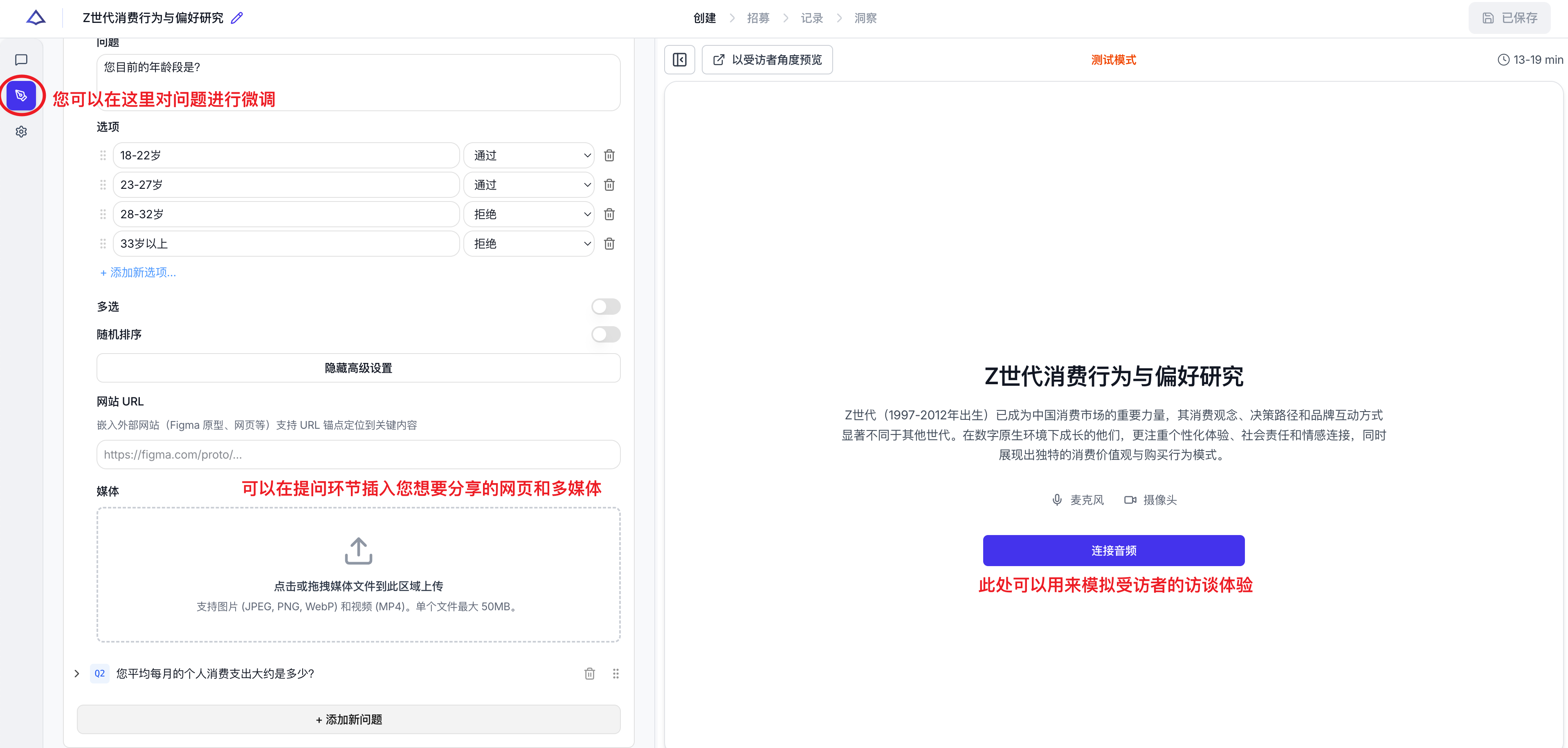
Preview mode helps you check
- The welcome page participants see (title / description / estimated duration / greeting)
- Logic flow works correctly (e.g., screening questions route properly)
- Overall interview flow feels natural (question order and pacing)
How to Use
How to Start Your First Interview Project
Click "New Project" to enter the interview creation flow.
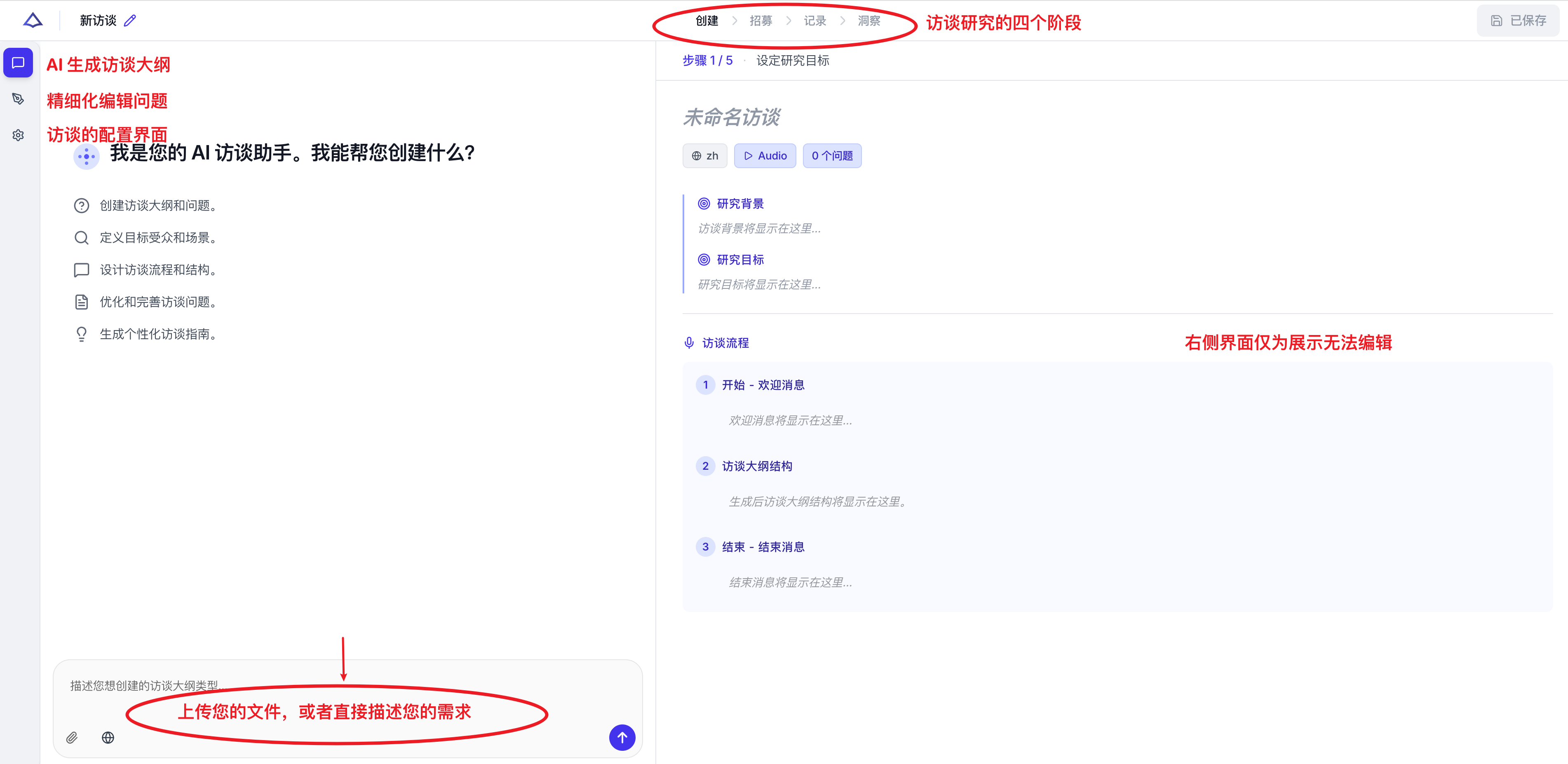
You can talk to the AI just like you would with a team member:
- Describe your research topic
- Upload any reference documents
- Explore the insights you want to gather
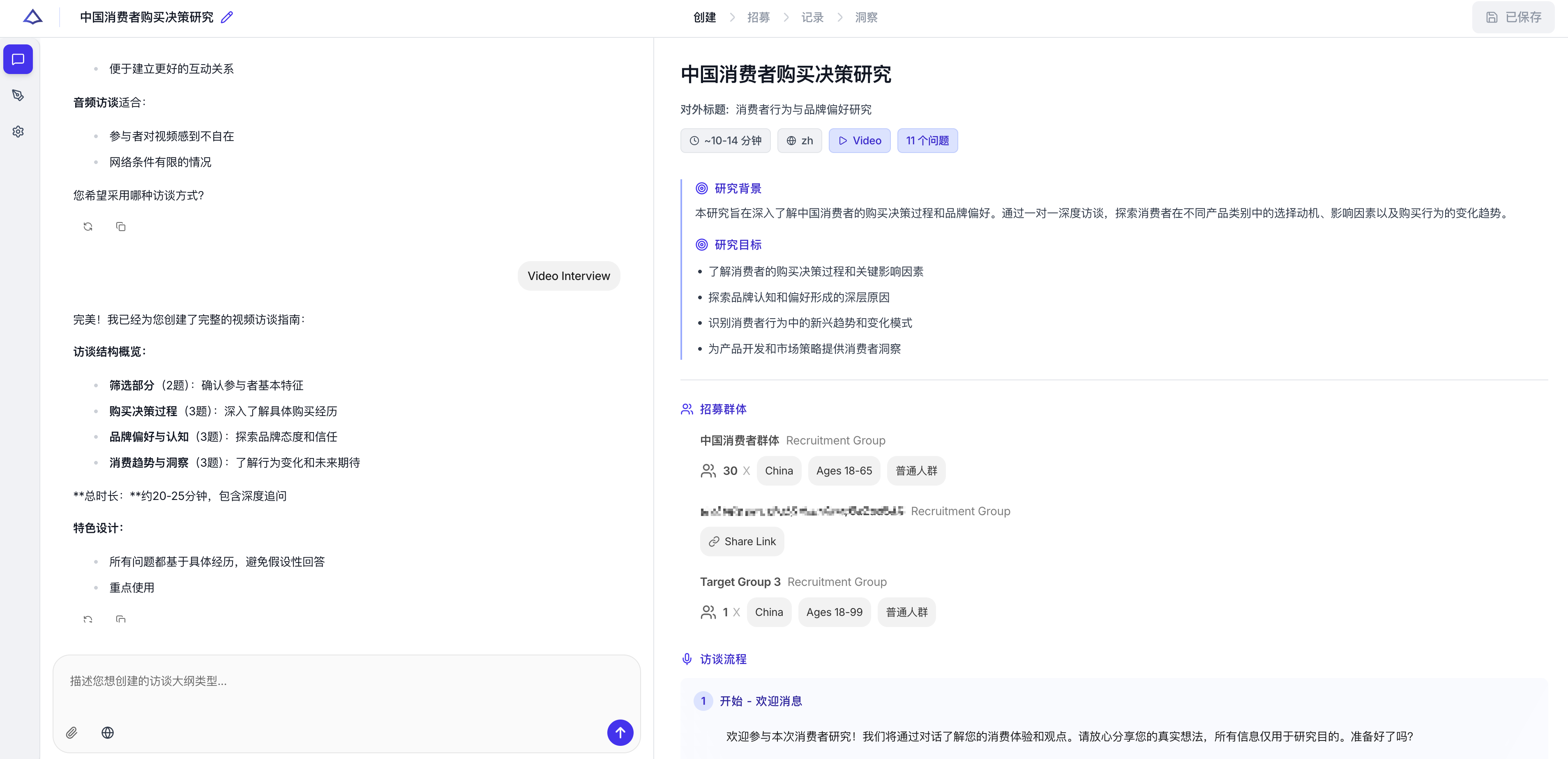
Mizzen Insight will automatically:
Parse objectives → Clarify requirements → Generate interview flow and outline → Output structured questions
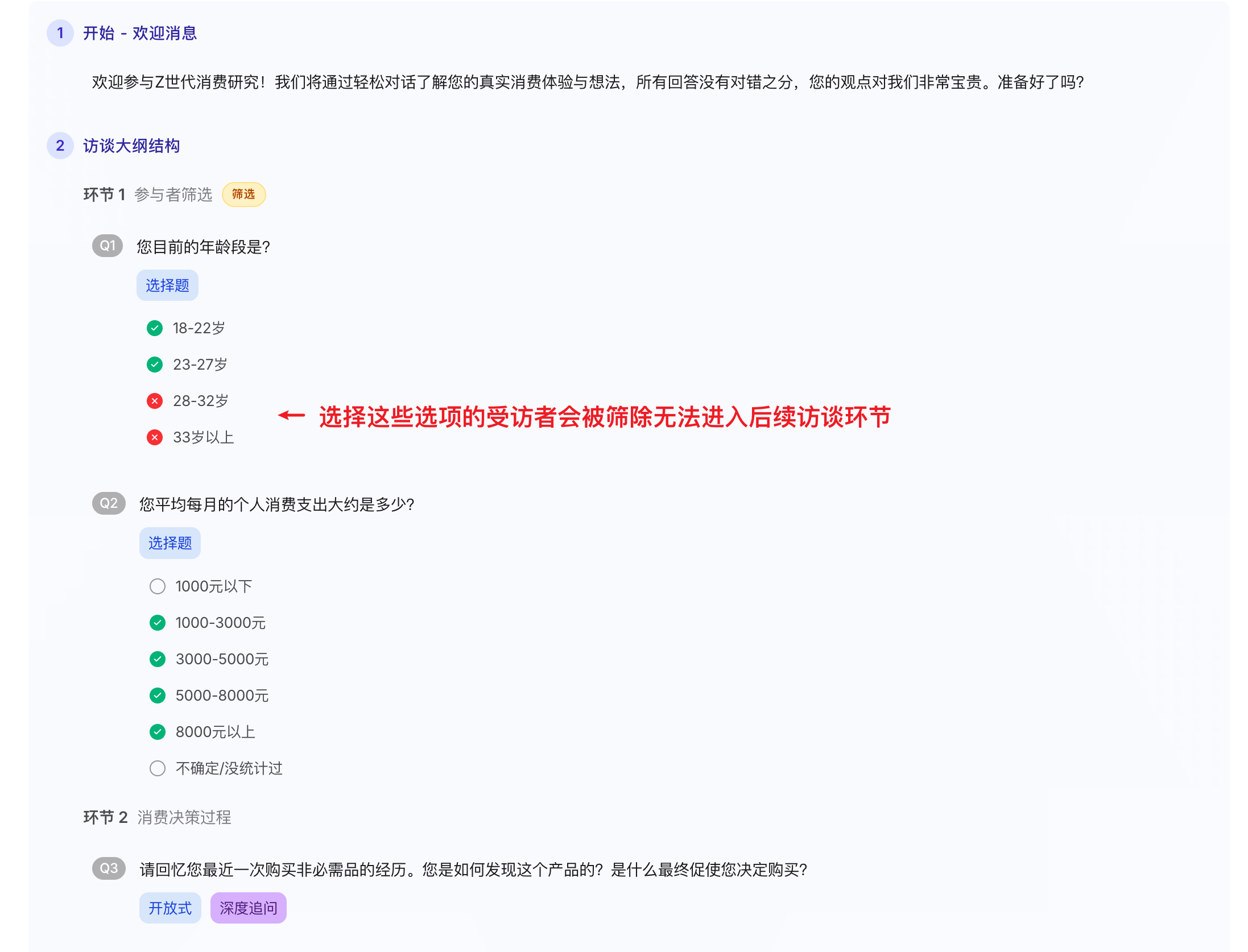
During this process, you can:
- Edit or add questions
- Set question logic (pass / reject conditions)
- Insert media (images / videos / links)
- Reorder questions
Finally, configure interview settings including the title participants see, interview format, and language preferences.
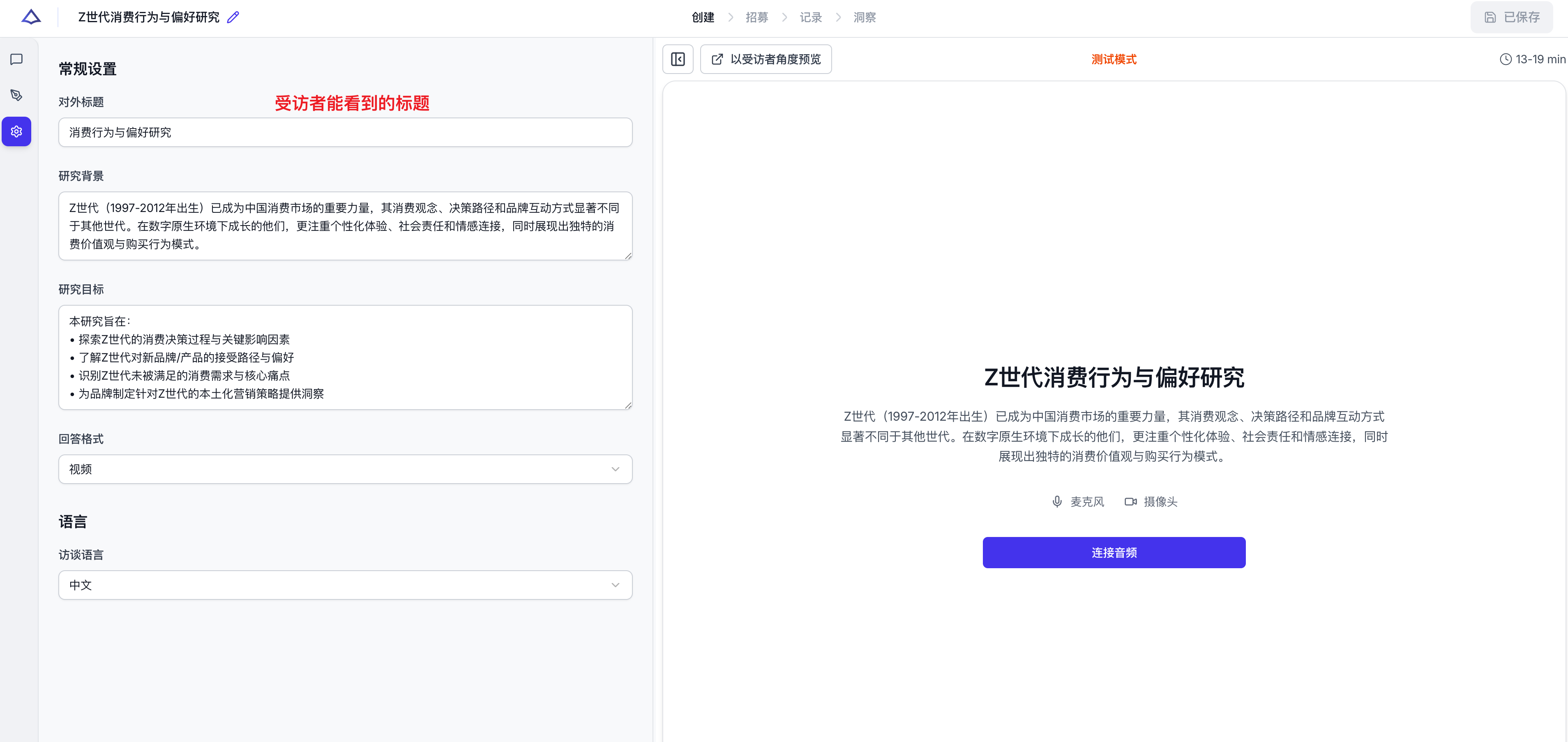
Once complete, your interview is ready to use!
How to Recruit Your Target Participants
Mizzen Insight offers two recruitment methods:
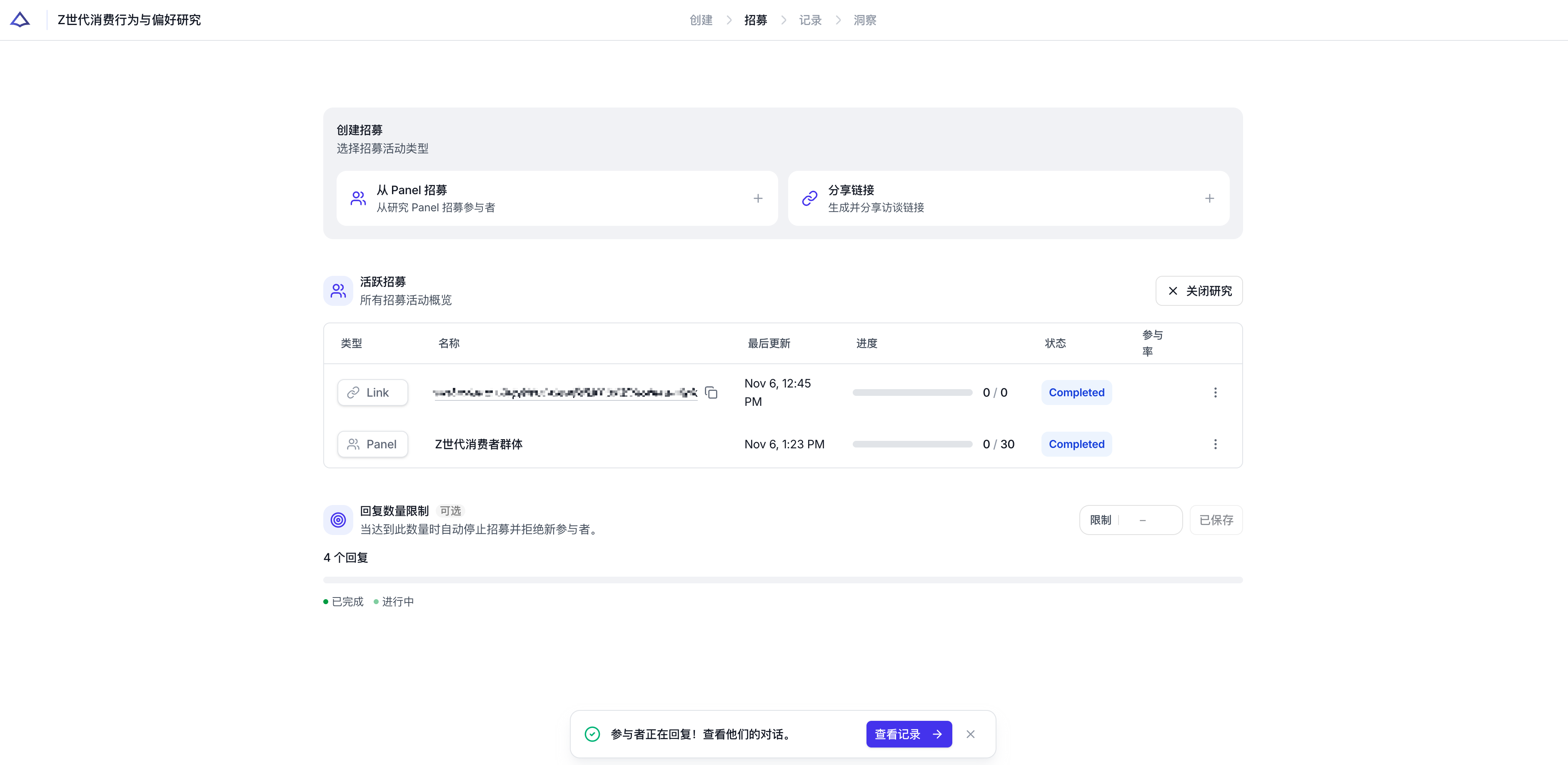
| Method | Use Case | Features |
|---|---|---|
| Share Link | Your existing user base | Quick distribution, flexible control |
| Mizzen Recruit | Large-scale sampling | Auto-matching, demographic filtering |
Flexible Combination
You can use both recruitment methods simultaneously—Mizzen Insight supports multi-channel parallel recruitment.
How to Track Your Interview Data
All participant responses are aggregated in the "Records" module.
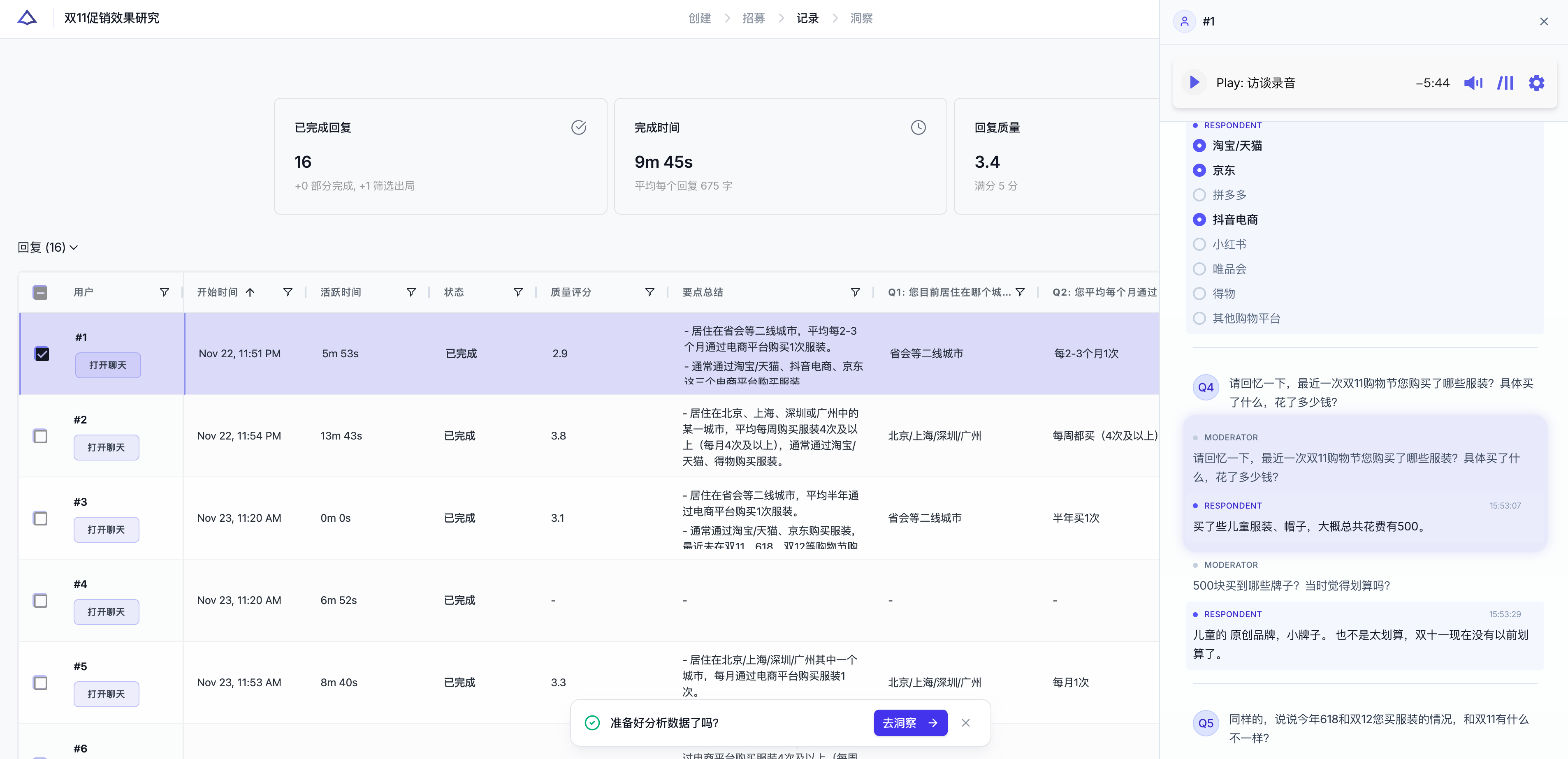
Here you can:
- View each participant's response status, interview duration, and completion rate
- Open individual interviews to see detailed responses (text or audio)
- View key point summaries for each question
- Play full interview recordings
The right sidebar displays the complete Q&A record and audio playback for individual participants, along with follow-up question structures.
How to Get Insights Analysis
Click "Insights" to generate a complete AI insights report.
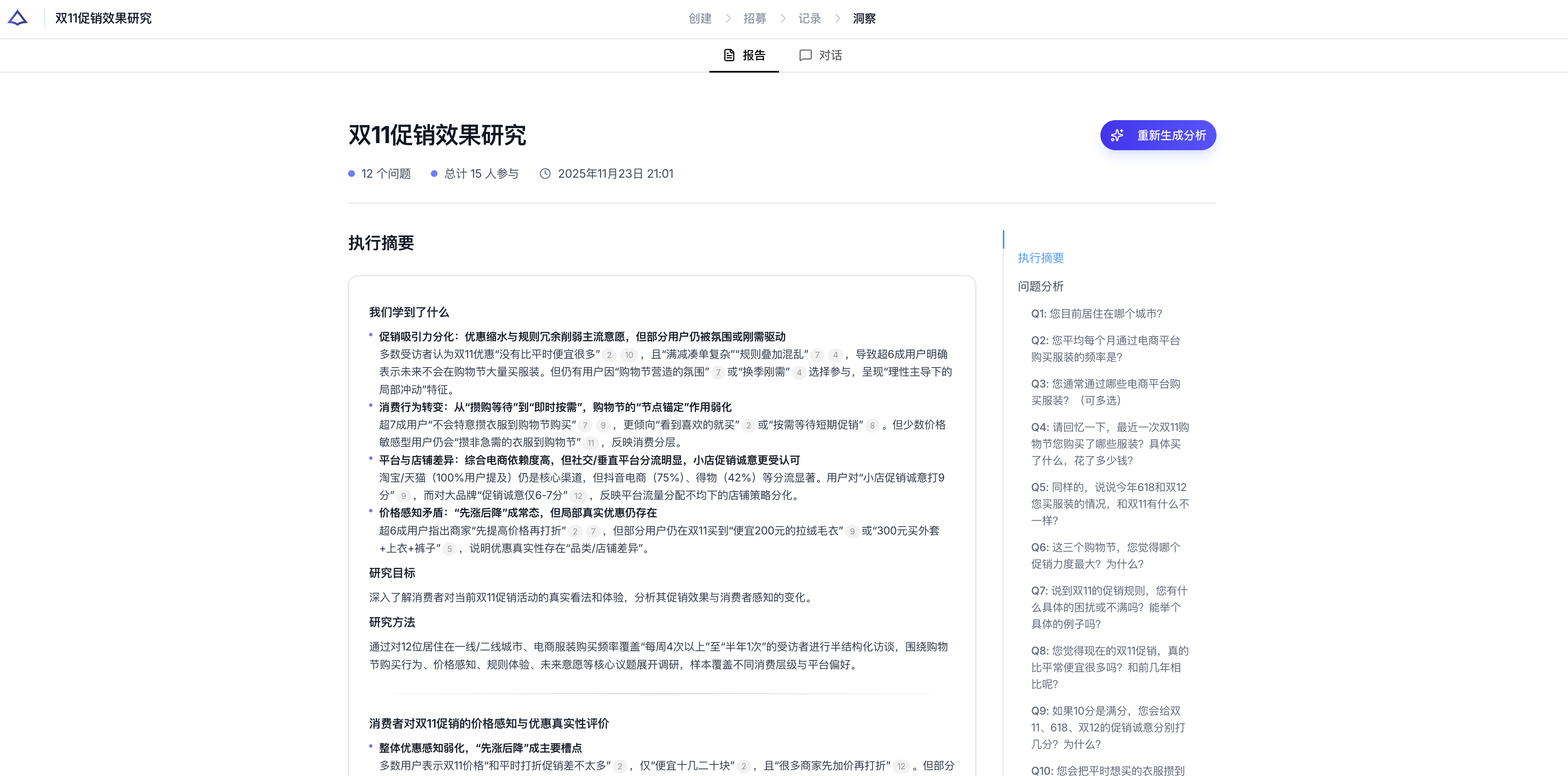
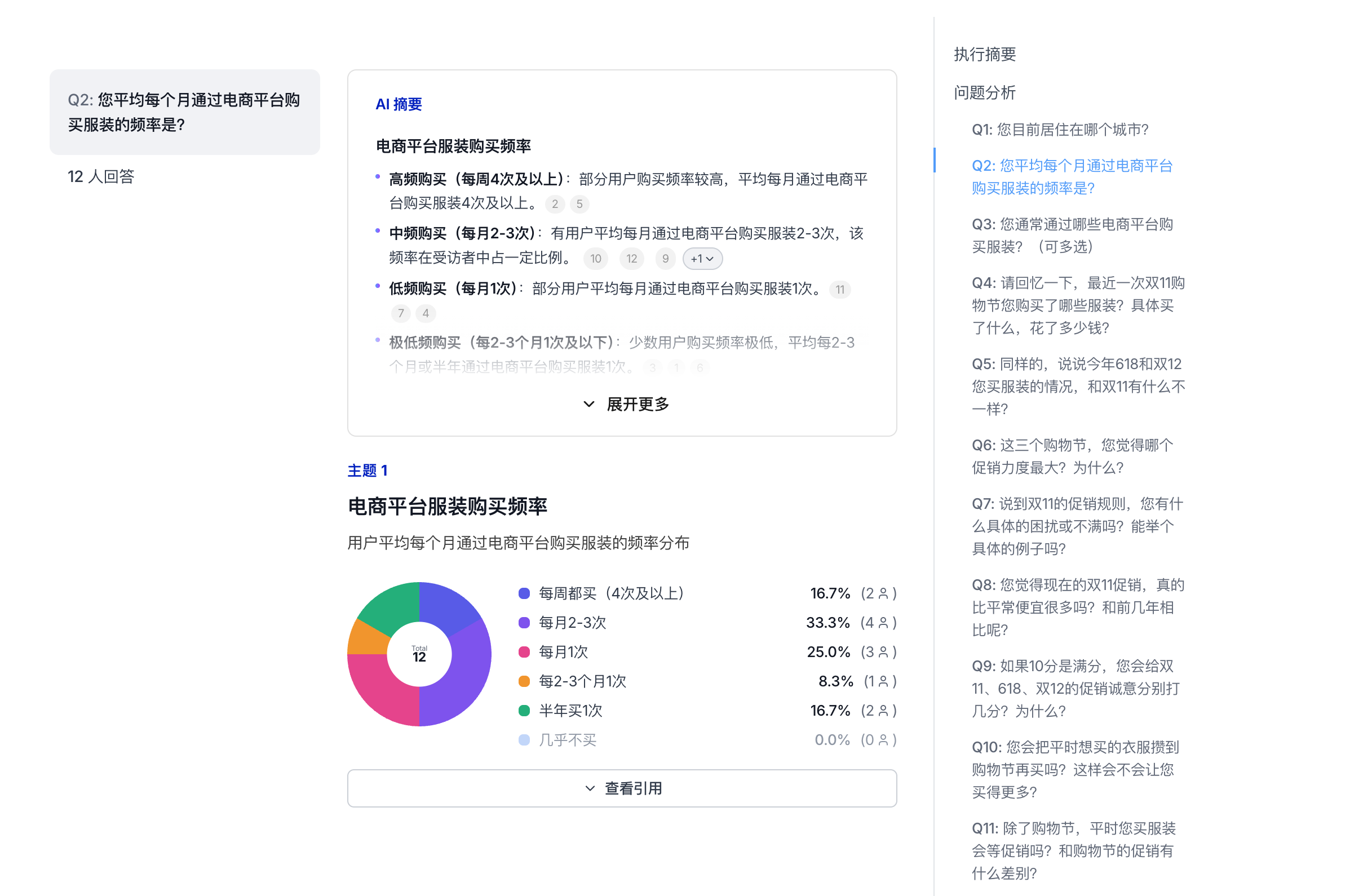
Reports include:
- Executive Summary: Synthesizes all responses to highlight the most important findings
- Question Analysis: AI extracts key themes and trends for each question
- User Tags: Groups participants with similar viewpoints
- Visualizations: Makes your data easy to understand at a glance
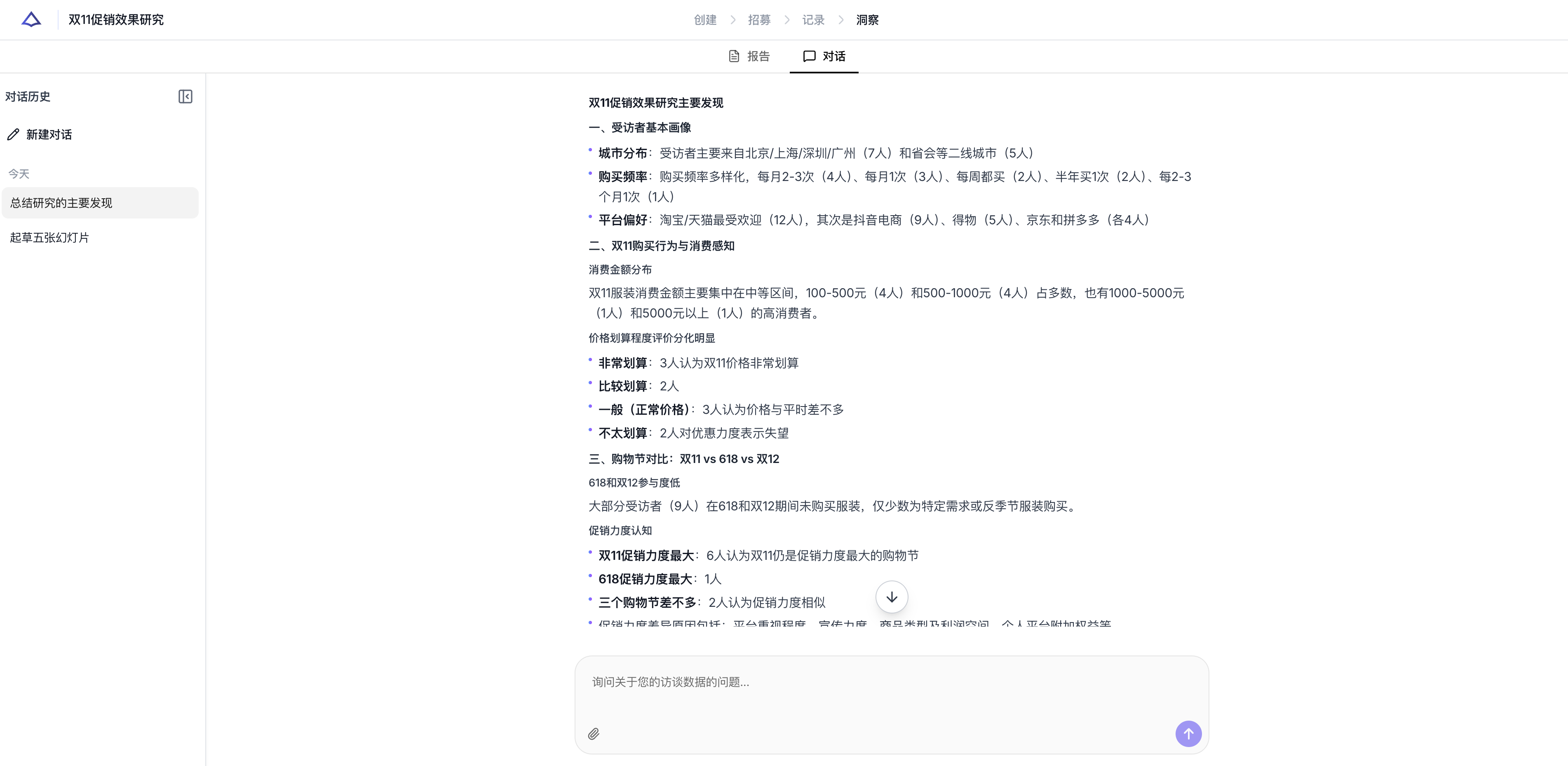
Deep Exploration
You can ask follow-up questions about the report to further explore the motivations behind participant responses, helping you uncover deeper insights from your data for more informed product decisions.
Next Steps
Ready to start?
Create your first AI interview in minutes